
Introduction to Corporate Video Production
Producing a corporate video is a powerful way for organizations to communicate, educate, and engage their audiences. This guide is designed for marketing managers, HR professionals, business owners, and marketing teams who want to leverage video for training, marketing, onboarding, and more across both internal audiences and external audiences. Whether you’re looking to build brand awareness, streamline employee onboarding, or support internal communications, this guide covers the entire process from planning to distribution.
Producing a successful corporate video starts with clear business objectives, a defined target audience, and a practical video strategy. Producing a corporate video involves a structured process from planning and scripting to filming and editing. This guide walks you through each step to ensure your video achieves its business goals.
By the end of this guide, you will:
-
Understand how to plan, budget, produce, and distribute an effective corporate video.
-
Learn how to choose the right video format for your business needs.
-
Gain practical tips for maximizing video quality and impact.
-
Discover best practices for training, onboarding, and explainer videos that align with your brand voice while reinforcing brand identity.
-
Be equipped to measure performance and ROI for your corporate videos.
Understanding Corporate Videos and Their Purpose
Corporate videos are professionally produced videos created by organizations to communicate messages to internal or external audiences in a clear and engaging way. Companies invest in corporate video production to support different business objectives in the corporate world through visual storytelling, enhance brand image, train employees, and inform or persuade customers. Corporate videos include product demos and training materials, along with brand story videos and other formats.
The intended audience can be internal audiences, such as employees, partners, and teams using videos for employee training or onboarding, or external, such as customers for marketing or product education, and the approach may differ based on these needs. Next, we’ll explore the main types of corporate videos and their applications. A single video may also be adapted for different audiences and channels when the message allows.
Corporate Training Videos
Corporate training videos are designed to educate employees on company policies, procedures, or skills. Common formats include instructor-led presentations, animated explainers, and scenario-based modules. Training videos are especially valuable for onboarding new employees, helping them get oriented and communicate company culture consistently. Training videos can reduce onboarding time by up to 60%. Strong onboarding processes can reduce turnover by over 80%. For best results, keep each module short and focused on a single learning objective, with software tutorials as a useful format for self-paced learning.
Explainer Videos
An explainer video is a concise, engaging video that breaks down complex topics or products, typically running 60–120 seconds. Animation often outperforms live action when illustrating abstract concepts or processes, and explainer-style product demos can simplify complex features or workflows. Focus your explainer video on 2–3 core messages to maximize clarity and retention, with a clear call to action if the goal is to drive a demo request or another next step.
When To Create Corporate Videos
Key triggers for commissioning corporate videos include rebranding initiatives, product launches, recruitment, onboarding, a brand story, internal changes, and major announcements. For example, Boston Market in New Hampshire used video to communicate a new brand direction to both staff and customers. Not every company has a dramatic origin to tell, so authenticity matters more than forcing one. Before choosing a video format, evaluate your audience’s needs and the message you want to convey.
How To Estimate Corporate Video Production Cost
|
Production Level |
Typical Cost Range |
Primary Cost Drivers |
|---|---|---|
|
DIY/In-House |
$500–$3,000 |
Equipment, staff time, editing software |
|
Mid-Tier |
$3,000–$15,000 |
Professional crew, scripting, location, post-production |
|
High-End |
$15,000–$100,000+ |
Talent, advanced equipment, multiple locations, animation, extensive editing |
Frame your budget around the outcomes you want to achieve. To reduce costs without sacrificing impact, consider simplifying the script, using in-house talent, or limiting shoot locations.
Hiring Options and Tradeoffs
-
Local production companies: Offer hands-on service and local expertise, but may have higher costs.
-
Remote agencies: Provide access to broader talent pools and specialized skills, but may require more coordination; remote-first workflows often depend on cloud based tools to keep feedback, files, and approvals aligned.
-
Freelancers and small teams: Cost-effective and flexible, but may lack full-service capabilities.
-
In-house teams vs. subscription services: In-house teams offer control and consistency; subscription services provide scalable, on-demand production. The right choice depends on whether your video project requires substantial physical production or a lighter remote workflow.
The Corporate Video Production Process
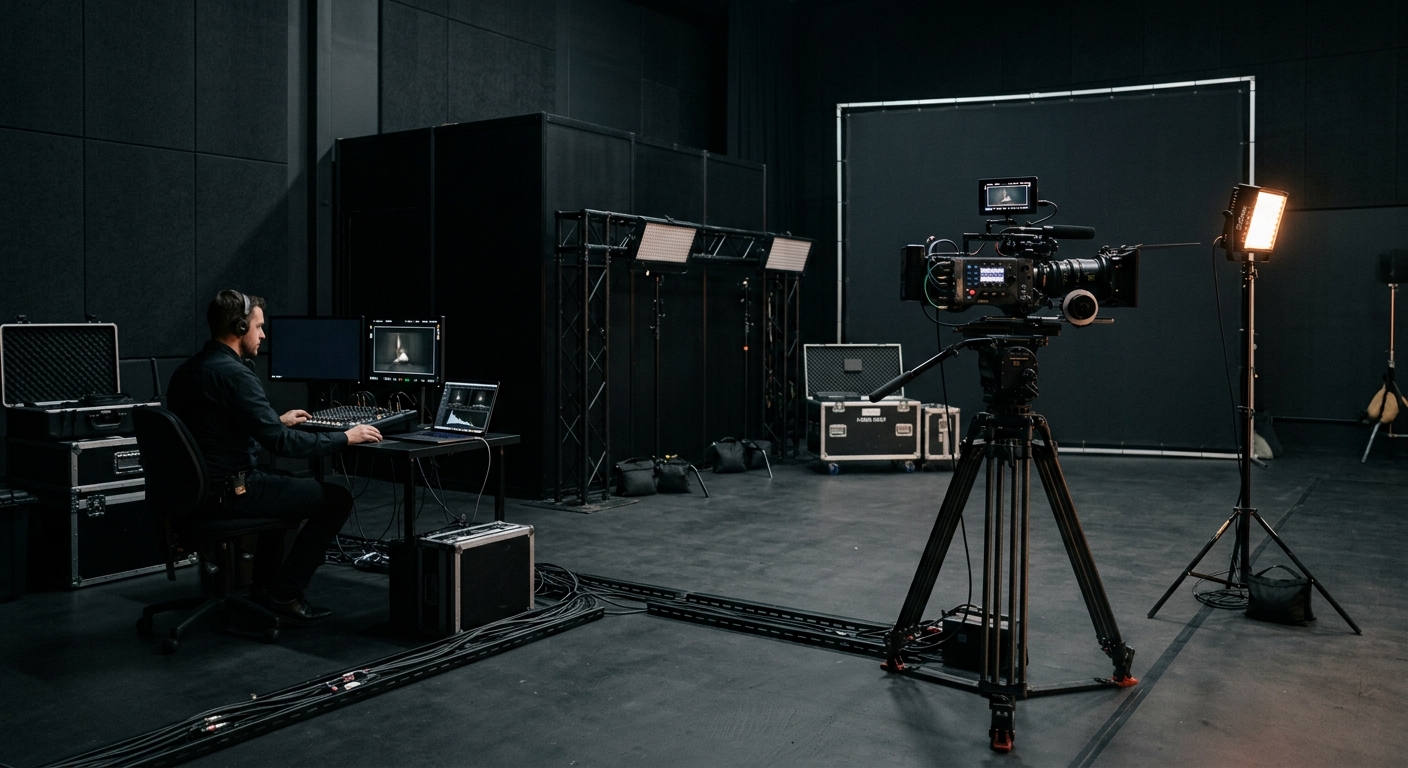
Producing an effective corporate video involves three main phases: pre-production (planning, scripting, and budgeting), the production phase (capturing raw footage), and post-production (editing, sound mixing, and adding graphics).
Strong video production planning keeps the entire video project on schedule and aligned across the entire team.
The end-to-end workflow includes:
-
Building a project timeline that reflects creative direction, sets production phase milestones, and defines physical production timing.
-
Assigning stakeholder roles and approvals to keep the project on track, with marketing teams often involved in sign-off.
Using a storyboard aligns the script with visuals before production begins.
Pre‑production
-
Define goals, target audience, and success metrics so they map to business objectives and audience needs for a successful corporate video.
-
Draft a script and create a simple storyboard that supports visual style, visual consistency, and brand voice.
-
Develop a production calendar and call sheets, and lock the creative vision before filming starts.
Production
-
Plan shot lists and schedule shoot days across the full physical production window.
-
In the production phase, prioritize capturing high-quality audio on set to support later sound design in post.
-
Collect extra B-roll footage for editing flexibility, with technical specifications for planned channels in mind.
Post‑production
-
Treat the post production process as a core component of refining raw footage, starting with a rough cut and stakeholder feedback.
-
Refine edits with professional editing, color grade the footage, and use sound design to raise overall quality in post.
-
Export the final video as a master deliverable alongside platform-specific cuts.
AI tools can support this workflow by automating tasks like trimming and syncing audio.
How To Produce High Quality Videos
Prioritize Clear Audio
Clear audio is more important than perfect visuals—invest in quality microphones and sound recording, and use on-screen text to improve clarity and accessibility for viewers watching without sound.
Choose Lenses and Lighting
Select lenses and lighting setups that match your brand’s tone and visual identity while maintaining visual consistency across shoots and locations.
Build Motion-Graphic Templates
Create simple motion-graphic templates to ensure consistency across all videos.
Reserve Contingency Budget
Set aside a contingency budget for potential re-shoots or last-minute fixes.
Corporate Training, Onboarding, And Explainer Video Best Practices
-
Break long topics into short, searchable modules.
-
Include on-screen steps and downloadable checklists.
-
Design onboarding videos to welcome and orient new hires.
-
Use explainer videos to reduce support ticket volume, and add clear calls to action to guide viewer engagement after watching.
Best practices vary by audience, from internal audiences needing clarity and process guidance to external viewers needing persuasion and next steps.
Onboarding Videos
-
Show real employees and authentic work environments to introduce company culture.
-
Map content to first-week priorities for new employees.
-
Include clear next-step actions in every module.
Effective onboarding videos can reduce onboarding time by up to 60% when modules are focused and easy to access.
Customer Testimonials
-
Select customers with measurable outcomes to feature in customer testimonials or testimonial videos.
-
Film conversational interviews, not rehearsed scripts.
-
Capture supporting B-roll that visually proves claims.
They can build trust faster than any other content type, especially when they include specific outcomes.
How-To Content
-
Create step-by-step how-to scenes with clear visuals, including software tutorials when the process happens inside a platform or tool.
-
Add captions and chapter markers for long tutorials.
-
Include a CTA linking to support docs or sales pages, depending on intent.
Distribution, Performance, And ROI
Distribution Planning
Plan your distribution strategy before final delivery to maximize reach and impact, including where the final video will appear and how it will be promoted to build web traffic.
If email is part of the mix, A/B testing subject lines can improve video engagement.
Platform Optimization
Create platform-optimized cuts from the master file for each intended channel, tailoring video content by channel, format, and placement within broader marketing campaigns. Effective video ads typically run 15 seconds to 2 minutes long, depending on channel and objective.
Tracking and Analytics
Use UTM tags, Google Analytics, and CRM integration to track viewer engagement and conversions. Video now drives about 80% of consumer internet traffic, which is one reason detailed measurement matters.
Setting KPIs
Set KPIs tied to the video’s original business objectives and intended audience outcomes to measure success and ROI. The review stage should assess the video’s effectiveness against those initial goals before future iterations are planned.
Common Challenges And Solutions in Corporate Video Production
Stakeholder Scope Creep
-
Problem: Stakeholder scope creep
Solution: Freeze scope with signoffs at key milestones and documented creative direction.
Audio Issues
-
Problem: Audio issues
Solution: Record separate lavalier tracks for clean sound.
Tight Timelines
-
Problem: Tight timelines
Solution: Plan rapid review windows and use cloud based tools to speed approvals, keep the entire team aligned, and maintain momentum on a fast-turn video project.
Emerging Trends And Future Opportunities
-
AI-assisted scripting and editing with ai tools are enabling companies to speed up creating videos and deliver high quality video content more efficiently.
-
AI can reduce corporate video production time from weeks to hours.
-
AI video generation can produce unlimited variations from a single concept, which is useful for localization and testing.
-
Scalable personalization enables localized messaging at scale.
-
The generative-AI video market is projected to reach nearly $2 billion by 2030.
-
Experiment with interactive and short-form video formats to engage modern audiences.
Conclusion And Next Steps
Producing a corporate video is most effective when you follow a structured, multi-phase process that stays aligned with business objectives and audience needs from planning through release of the final video.
Next steps:
-
Define your video’s objective and target audience.
-
Build a project plan and assemble your production team.
-
Choose the right distribution channels and set clear KPIs.
For deeper planning, explore topics like advanced video analytics, interactive video formats, and integrating video with your broader marketing or HR strategy.